Multiple Ways to Download Your Aadhar Card
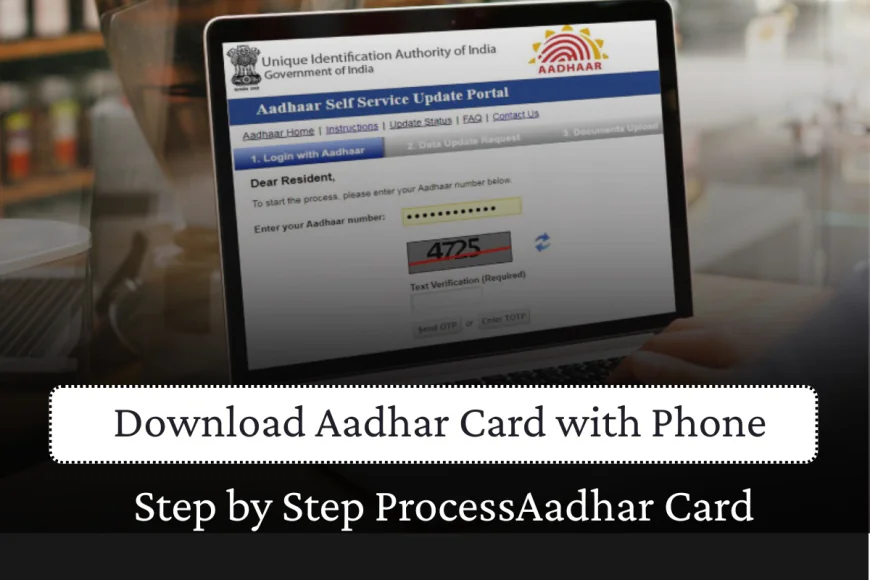
1. Via UIDAI MyAadhaar Portal
The most popular method for aadhar card download is through the official UIDAI portal:
Step-by-Step Process:
● Visit the UIDAI official website.
● Click on 'Download Aadhaar' link
● Enter your 12-digit Aadhar card number, 16-digit Virtual ID (VID), or 28-digit Enrolment ID (EID)
● Enter the captcha code
● Click 'Send OTP' and enter the OTP received on your registered mobile number
● Click 'Verify and Download' to complete your aadhar card download
2. Using mAadhaar Mobile Application
For convenient e aadhar card download on mobile devices:
Installation and Setup:
● Download the official mAadhaar app from Google Play Store or App Store
● Register using your registered mobile number and OTP
● Access the dashboard and select 'Download Aadhaar' option
Download Options:
● Regular Aadhaar: Displays all digits of the aadhar card number
● Masked Aadhaar: Hides the first 8 digits for enhanced privacy
3. Through DigiLocker Platform
DigiLocker offers another secure method for aadhar card download:
● Log in to DigiLocker website or mobile app
● Search for 'Aadhaar Card' in the document section
● Enter your aadhar card number and verify with OTP
● Download your e-Aadhaar directly to the 'Issued Documents' section
4. Via UMANG Portal
The UMANG portal provides comprehensive government services including e aadhar card download:
● Visit web.umang.gov.in and log in or register
● Navigate to the 'Aadhaar' section
● Select 'Download Aadhaar' option
● Enter your aadhar card number or VID and complete OTP verification
● Download your e-Aadhaar in PDF format
Understanding Your E-Aadhaar Password
Your downloaded aadhar card PDF is password-protected for security. The password format follows a specific pattern:
Password Structure: First four letters of your name (in CAPITALS) + Year of Birth (YYYY format)
Examples:
● Name: Prithvi Sharma, Born: 1984 → Password: PRIT1984
● Name: Ram Kumar, Born: 1997 → Password: RAMK1997
● Name: S.M. Joshi, Born: 1994 → Password: SMJO1994
Aadhar Card Update Services
Keeping your aadhar card information current is crucial. UIDAI offers both online and offline aadhar card update services.
Online Address Update
Currently, only address updates can be completed online:
● Visit myAadhaar portal and log in with your aadhar card number
● Select 'Address Update' option
● Upload required address proof documents
● Pay applicable fees and submit your request
Important Update: Free online aadhar card update is available until June 14, 2026. After this date, updates will incur charges.
Comprehensive Update Services
For other demographic changes like name, date of birth, or mobile number, visit an Aadhaar enrollment center. However, starting November 2025, UIDAI plans to enable online updates for most demographic details.
Key Features of Modern Aadhaar Services
The aadhar card system offers several advanced features:
● Biometric Lock/Unlock: Enhanced security for your biometric data
● Authentication History: Track when and where your aadhar card was used
● Virtual ID Generation: Create temporary IDs for secure transactions
● PVC Card Ordering: Get a durable plastic version of your aadhar card
Required Documents for Aadhar Card Update
For aadhar card update processes, you'll need:
Proof of Identity:
● Passport, Driver's License, PAN Card, Voter ID
● Government-issued certificates, Marksheets, Marriage certificates
Proof of Address:
● Bank statements (not older than 3 months)
● Utility bills (electricity/gas - not older than 3 months)
● Property tax receipts (not older than 1 year)
Benefits of Digital Aadhar Card
The e aadhar card download system offers numerous advantages:
● Instant Access: Download anytime, anywhere with internet connectivity
● Environmental Friendly: Reduces need for physical copies
● Legally Valid: Accepted everywhere physical aadhar card is required
● Secure Storage: Multiple backup options through various platforms
Conclusion
Aadhar card download services have revolutionized how Indian residents access their identity documents. With multiple platforms offering e aadhar card download options, updating and maintaining your aadhar card information has become more convenient than ever.
Whether you choose the UIDAI portal, mAadhaar app, DigiLocker, or UMANG, each platform ensures secure and instant access to your digital identity. Remember to keep your aadhar card information updated and take advantage of the free aadhar card update services available until June 2026.













































.jpg)